

A new phishing campaign is impersonating Squarespace, using a fabricated “domain expiration” reminder to lure recipients into a multi‑step web flow designed to harvest credit card details, billing information, and, through staged prompts, bank‑account access data.
What the Scam Looks Like
The email itself is deliberately ordinary. Rather than a dramatic subject line, it arrives with a generic heading such as “REMINDER: Your Domain squarespace.com has expired”, styled to resemble a routine Squarespace renewal notice.
The body explains that the domain is “due for renewal” and warns that failure to act may interrupt website and email services. A black “Renew Domain” button invites the recipient to proceed to checkout.
The email includes Squarespace branding, familiar layout elements, and a table summarising:
- Domain
- Renewal date
- Renewal period
- Amount due
These details make the message feel like a standard operational reminder rather than a threat.
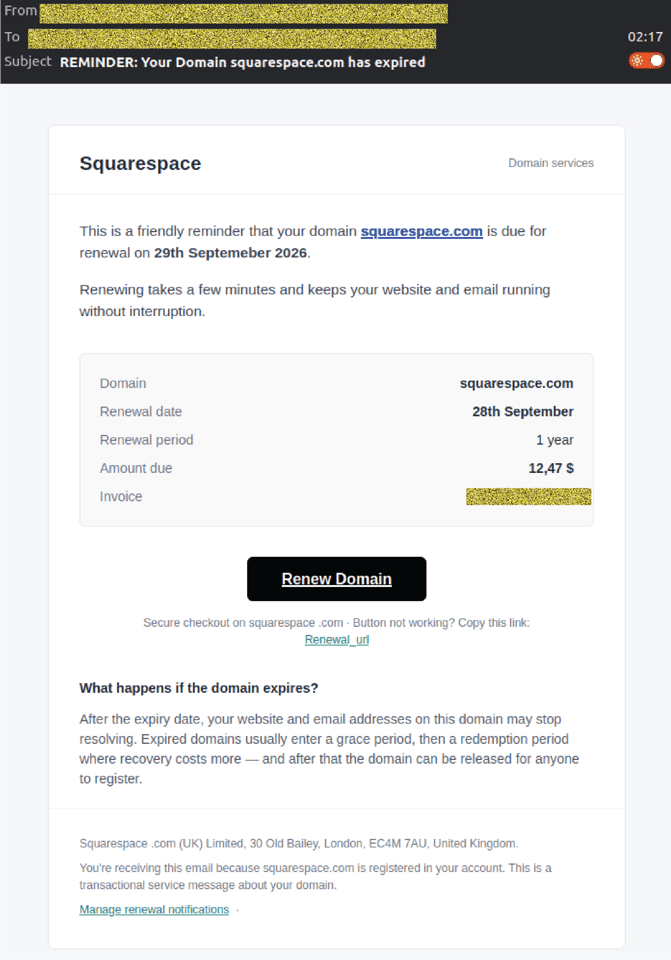 Example phishing content shown using Squarespace branding. Not affiliated with Squarespace.
A rotating sender built to blend in
Behind the branding, the sender details tell a different story.
Attackers are using a Unicode lookalike character, Small Letter Alpha (ɑ), to replace the letter “a” in the display name, resulting in “Squɑrespɑce”. At a glance, most recipients won’t notice the substitution.
The campaign also rotates through multiple sending domains.
None of these aligns with legitimate Squarespace infrastructure, but the email is styled convincingly enough that a busy staff member could easily miss the mismatch.
Inside the phishing flow
Clicking “Renew Domain” leads to a shortened share.google link, which then redirects to the phishing site:
renew[dot]squarespace[dot]web[dot]id
The site closely mimics the look and feel of a genuine Squarespace checkout page, including branding, layout, and payment‑related language.
From here, the fake site walks visitors through a staged, escalating sequence of pages.
Step 1: Payment form requesting card details
The first page is a fake Squarespace payment screen requesting:
- Full name
- Billing email
- Card number
- CVV
- Expiry date
A summary box displays an order number, price, VAT, and total amount due. Logos such as Mastercard SecureCode, Verified by Visa, and PCI DSS are included to reinforce legitimacy.
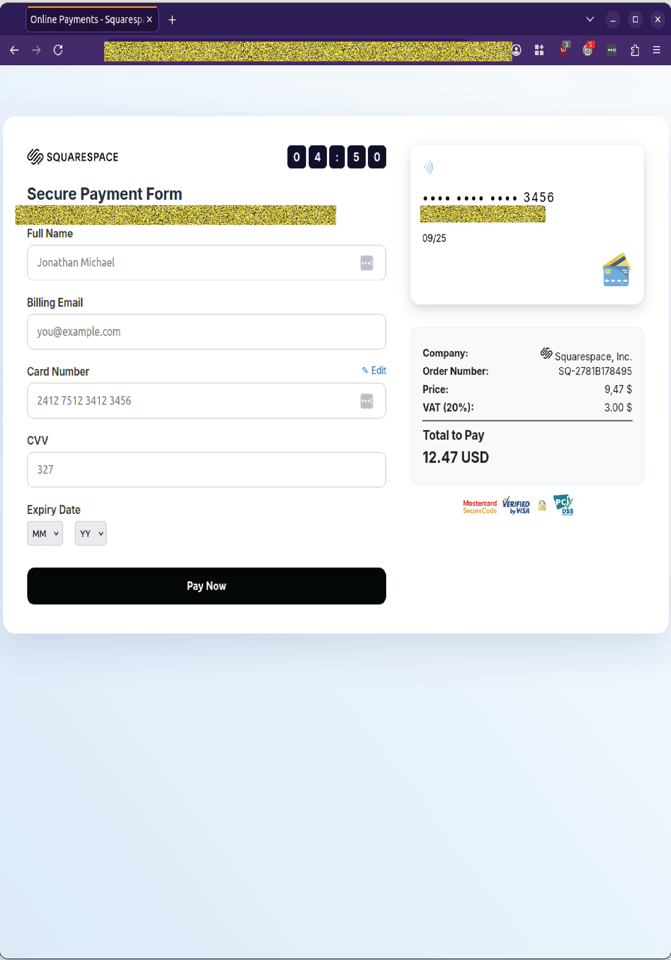 Example phishing content shown using Squarespace branding. Not affiliated with Squarespace.
Step 2: “Connecting to your bank account…” prompt
After submitting card details, victims are shown a staged “Connecting to your bank account…” screen, complete with a graphic linking a bank icon to a mobile device. This is designed to simulate a secure, multi‑step verification process.
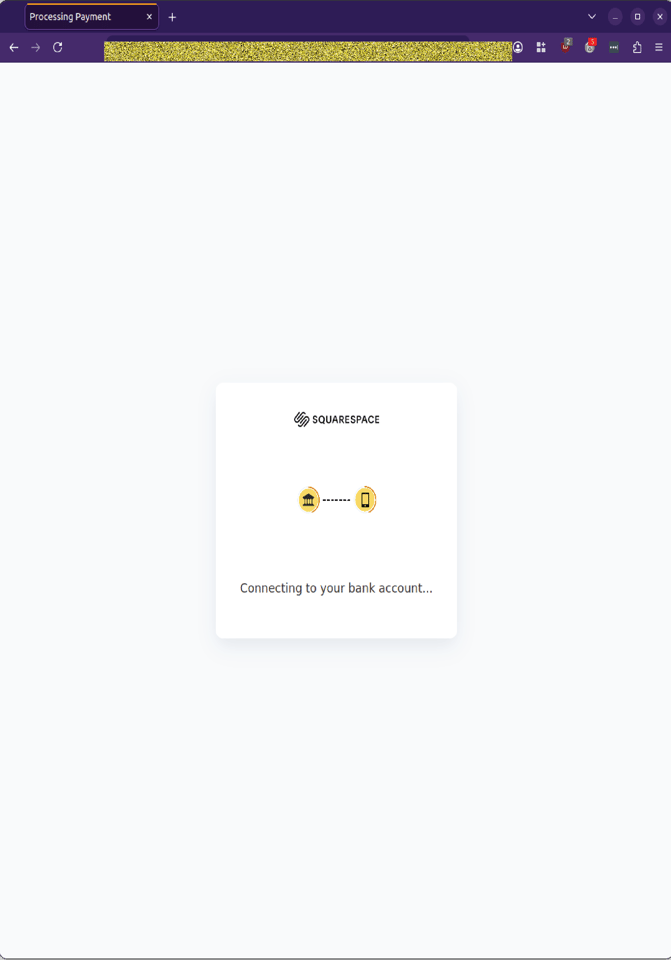 Example phishing content shown using Squarespace branding. Not affiliated with Squarespace.
Step 3: “Payment processing, please wait…”
The next page displays a loading animation and a message indicating that payment is being processed. This keeps victims engaged and reassured while attackers capture their data.
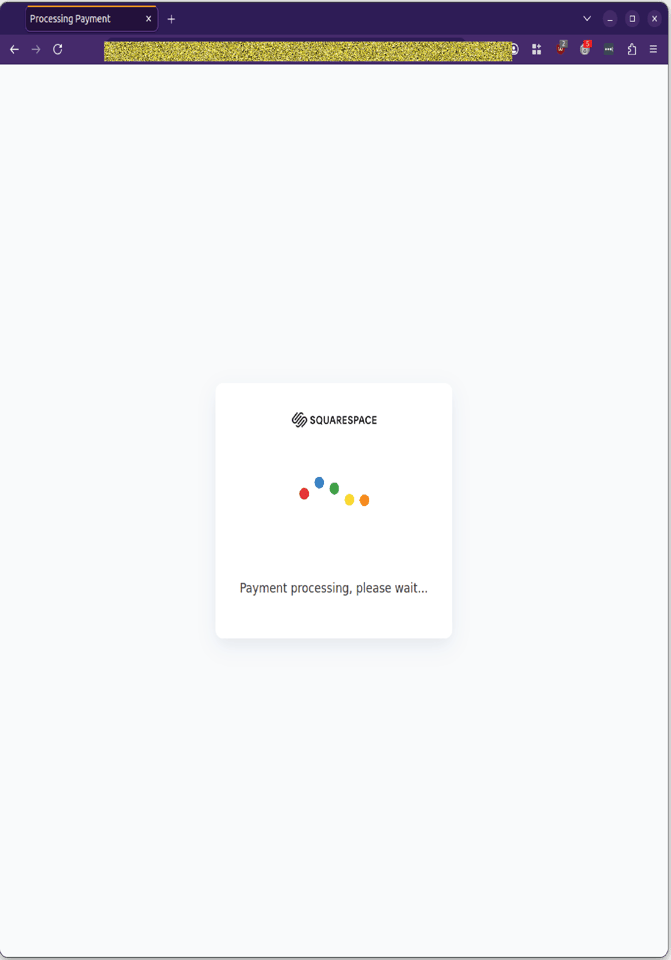 Example phishing content shown using Squarespace branding. Not affiliated with Squarespace.
Step 4: Looping prompts
MailGuard analysts observed that when fake details are entered, the site loops back to earlier prompts. By this point, attackers have already captured:
- Credit card details
- Billing information
- Browser/session metadata
- Potential bank‑access credentials
The looping behaviour is deliberate; it keeps victims engaged while preventing them from realising the transaction is fraudulent.
Why this scam is worth flagging to your team
Several details make this campaign more dangerous than a typical payment‑phishing attempt:
-
It asks for everything in one visit. The flow captures full card details, billing information, and staged bank‑access prompts. Together, this gives attackers enough to attempt fraudulent transactions, identity abuse, and account takeover.
-
The “domain expiration” pretext is mundane, not alarming. Domain renewal is a routine operational task. A reminder about an upcoming expiry is plausible and unlikely to trigger suspicion, especially for businesses that rely on their domain for email and web services.
-
The staged verification steps feel authentic. Multiple pages, loading animations, and bank‑connection prompts mimic the layered security experience users associate with legitimate online payments.
-
The branding is familiar and low‑friction. Squarespace is widely used by small businesses, sole traders, and marketing teams. The attackers rely on brand familiarity to reduce scrutiny.
-
For organisations whose staff manage domains, subscriptions, or online services, this kind of scam has implications beyond individual loss. Compromised payment details can be leveraged to initiate fraudulent transactions, access other systems, or bypass controls that rely on financial verification.
Stay safe, know the signs.
GlobalGuard advises all recipients of these emails to delete them immediately without clicking on any links. Responding or providing personal details can lead to identity theft, data breaches, and financial losses.
Talk to our team
Reach out to speak to a GlobalGuard expert about securing your inboxes against advanced, malicious email-borne threats with our AI-powered email security solutions.
COMMENTS