
GlobalGuard has intercepted a new phishing email campaign impersonating American Express, designed to trick recipients into handing over their credit card account details, card verification data, personal identity information and multi‑factor authentication codes.
What the email looks like.
The email warns recipients that their account has been locked due to suspicious activity and urges them to click a button such as “Secure Log In” to restore access. The button links to a Twitter URL shortener that redirects to a phishing site.
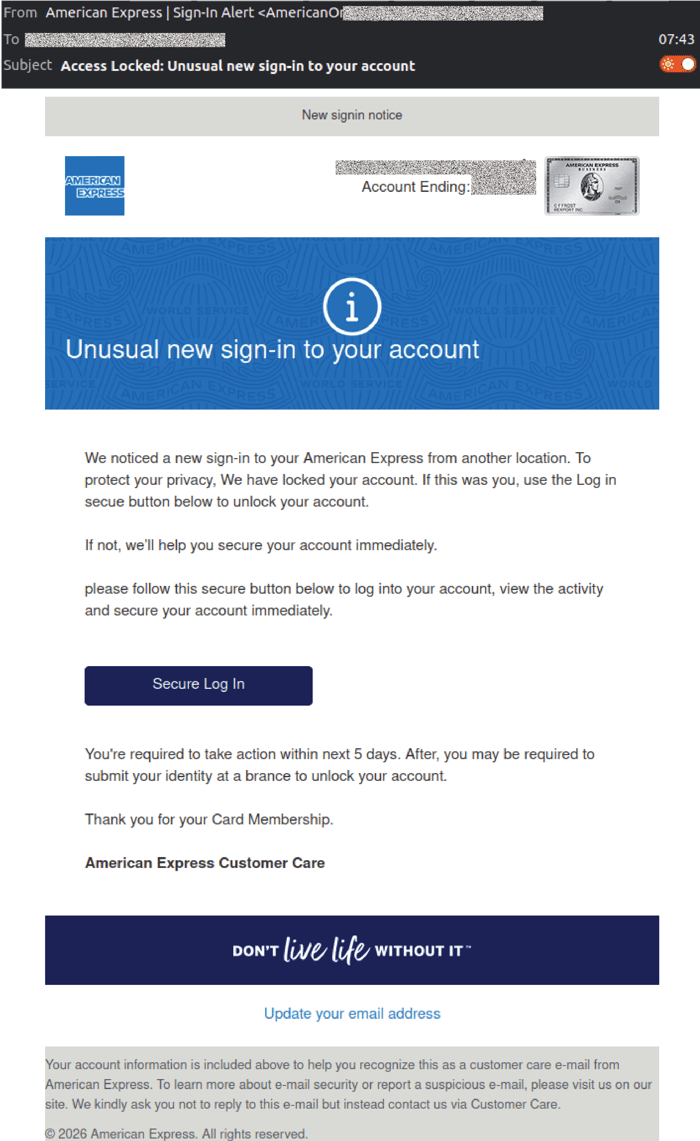 Example phishing content shown using American Express branding. Not affiliated with American Express.
How the scam works.
Once the victim clicks the link, they are taken to a fake American Express login page. The site is visually convincing, using American Express branding, navigation menus and footers.
The first page requests the victim’s User ID and Password.
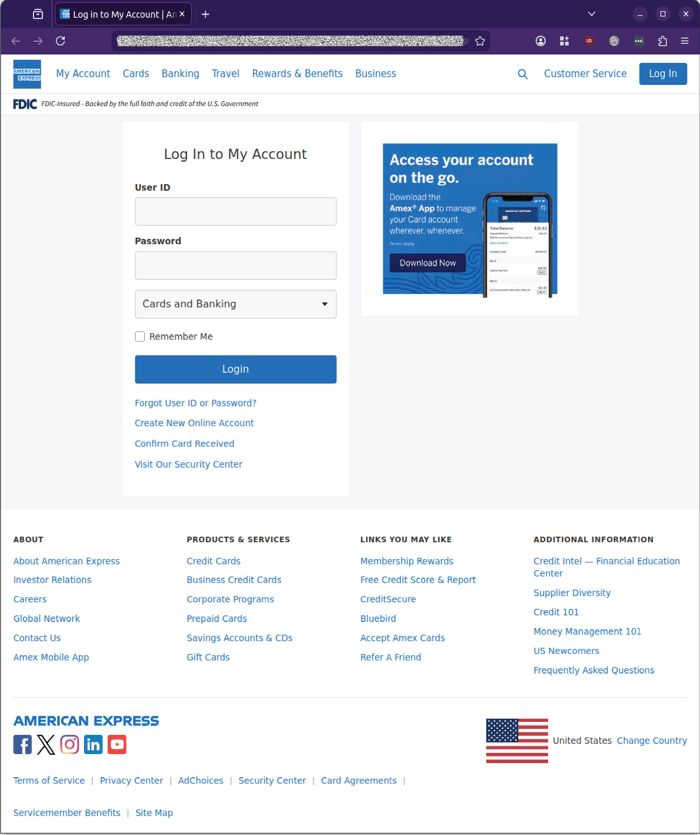
Example phishing content shown using American Express branding. Not affiliated with American Express.
The second page asks for the 3‑digit Code and shows an example image of a card to guide victims.
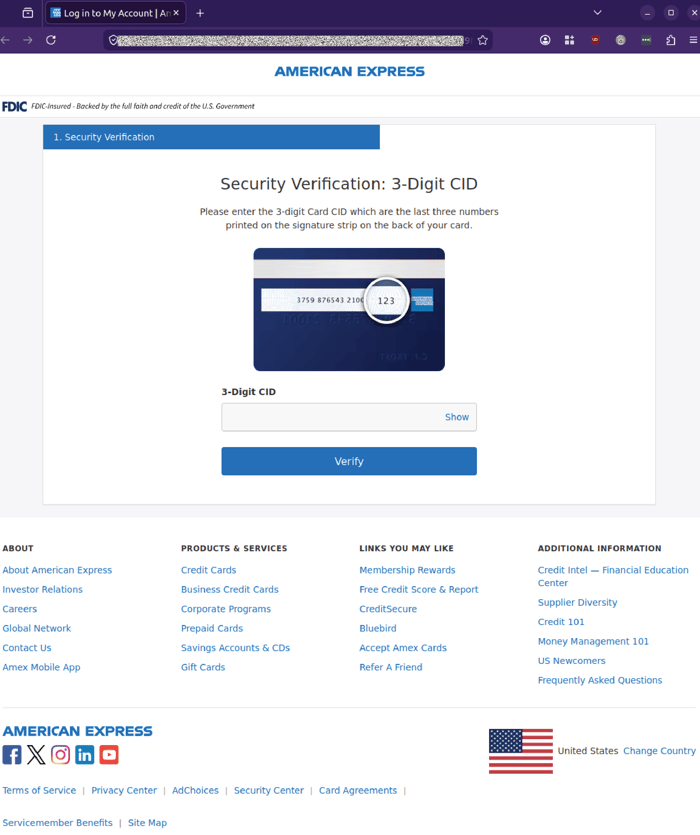
Example phishing content shown using American Express branding. Not affiliated with American Express.
The third page requests the victim’s mother’s maiden name, a common identity verification question.
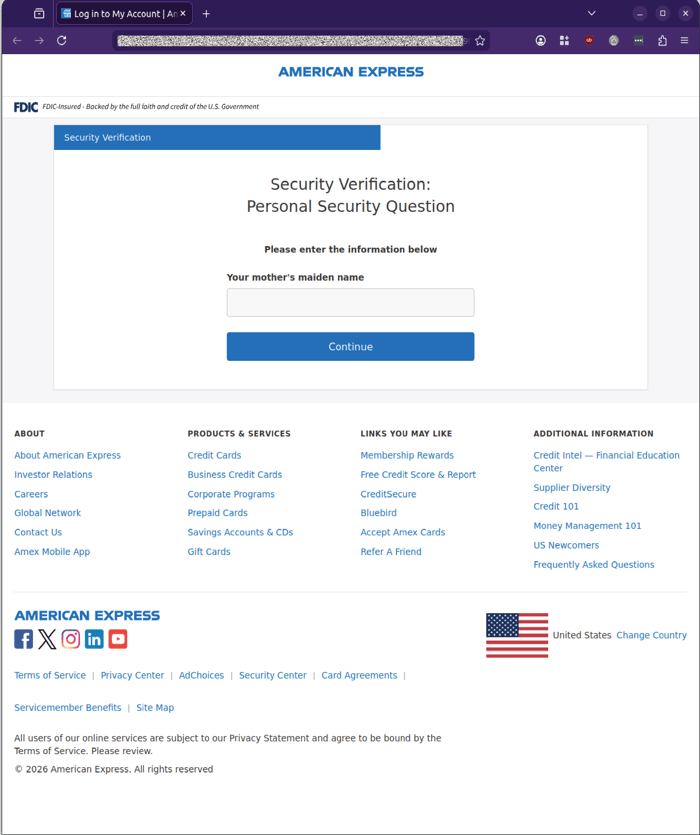
Example phishing content shown using American Express branding. Not affiliated with American Express.
The fourth page asks for a 6‑digit SMS verification code, imitating a genuine MFA step.
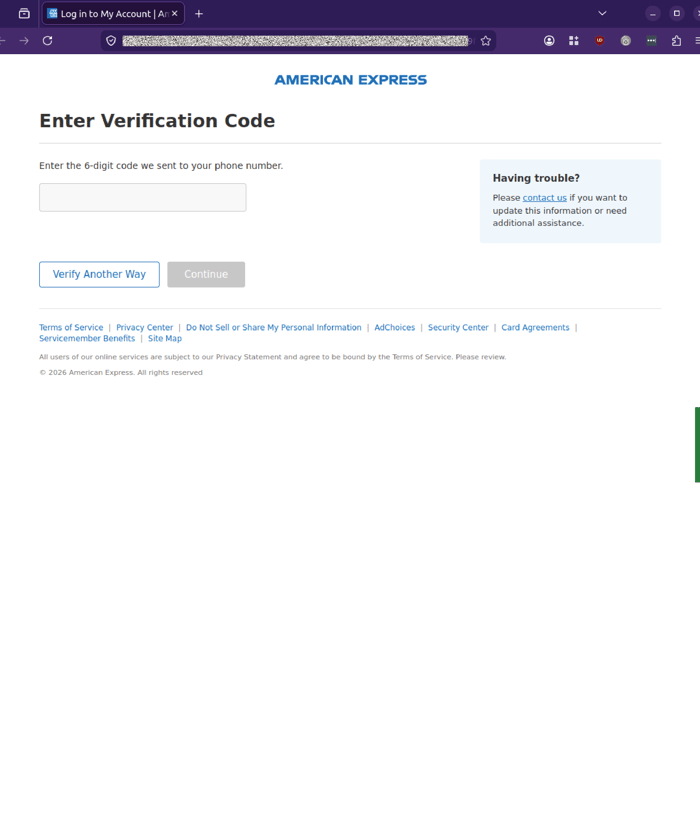
Example phishing content shown using American Express branding. Not affiliated with American Express.
If victims enter an incorrect code, the page displays an error message such as “Invalid code, enter valid code” to encourage repeated attempts.
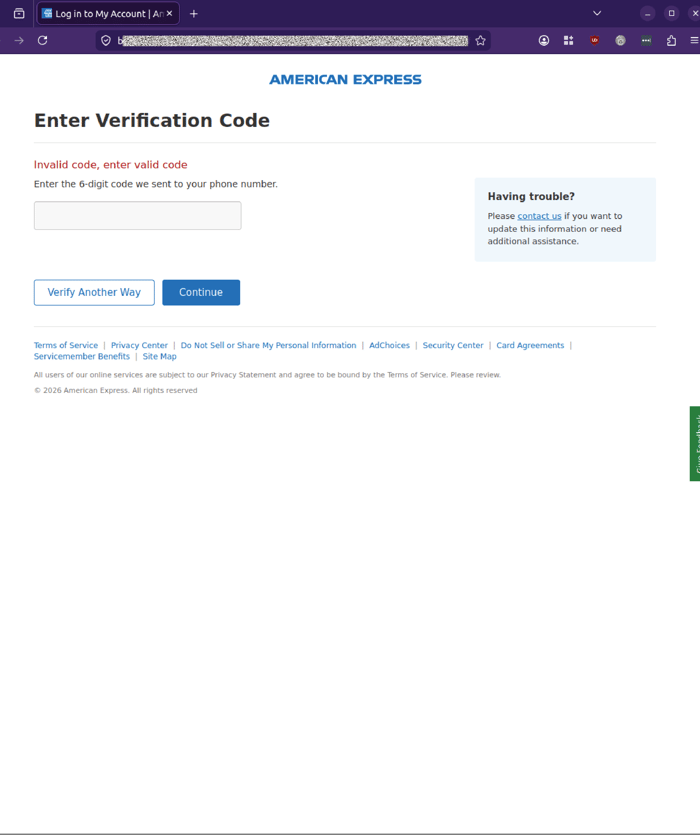
Example phishing content shown using American Express branding. Not affiliated with American Express.
The final page requests a one‑time password sent to the victim’s email address.
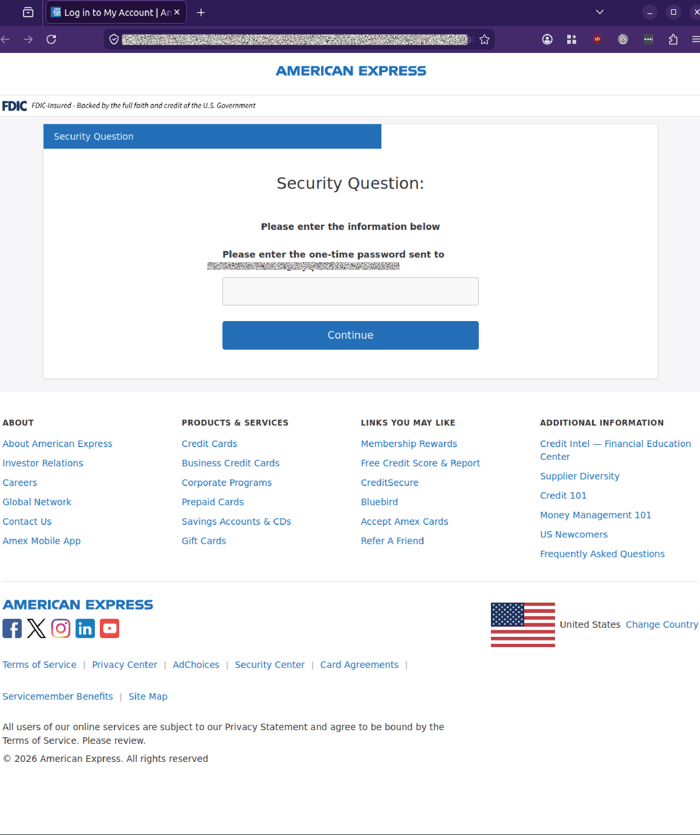
Example phishing content shown using American Express branding. Not affiliated with American Express.
Why this campaign is concerning.
This phishing campaign is particularly dangerous because it:
-
Harvests multiple layers of sensitive information, login credentials, card verification data, identity information and MFA codes.
-
Bypasses multi‑factor authentication by requesting SMS and email verification codes.
-
Uses personalised sender addresses to appear legitimate.
-
Leverages urgency and fear by claiming your account has been locked.
-
Uses a multi‑page flow to build trust and reduce suspicion.
If successful, attackers can:
-
Take over American Express accounts
-
Conduct fraudulent transactions
-
Reset passwords
-
Access email accounts
-
Launch further attacks using compromised inboxes.
Warning signs to watch for.
There are several warning signs in this campaign:
-
The sender address format, americanonline_[recipient handle]@info.net, does not match American Express’s legitimate domains.
-
The display name “American Express | Sign-In Alert” is inconsistent with the naming conventions used in genuine Amex security notifications.
-
The “Secure Log In” button uses a Twitter URL shortener, not an official American Express link.
-
Each verification step- login, CID, mother’s maiden name, SMS code, email OTP- is hosted on non‑American Express domains, none of which align with Amex’s legitimate infrastructure.
-
Error messages such as “Invalid code, enter valid code” are used to prompt repeated attempts, increasing the likelihood that victims will enter valid MFA codes.
Recipients should be cautious of any unexpected account‑lock or sign‑in alerts, especially those that request full card details, identity information or multi‑factor authentication codes via embedded links. Accessing your American Express account via known, bookmarked URLs or official mobile apps — rather than email buttons — significantly reduces the risk of successful phishing attacks.
Stay safe, know the signs.
GlobalGuard advises all recipients of these emails to delete them immediately without clicking on any links. Responding or providing personal details can lead to identity theft, data breaches, and financial losses.
Talk to our team
Reach out to speak to a GlobalGuard expert about securing your inboxes against advanced, malicious email-borne threats with our AI-powered email security solutions.
COMMENTS